
CoastKey 5-knapps FOB 2018-2020
€2,890.00
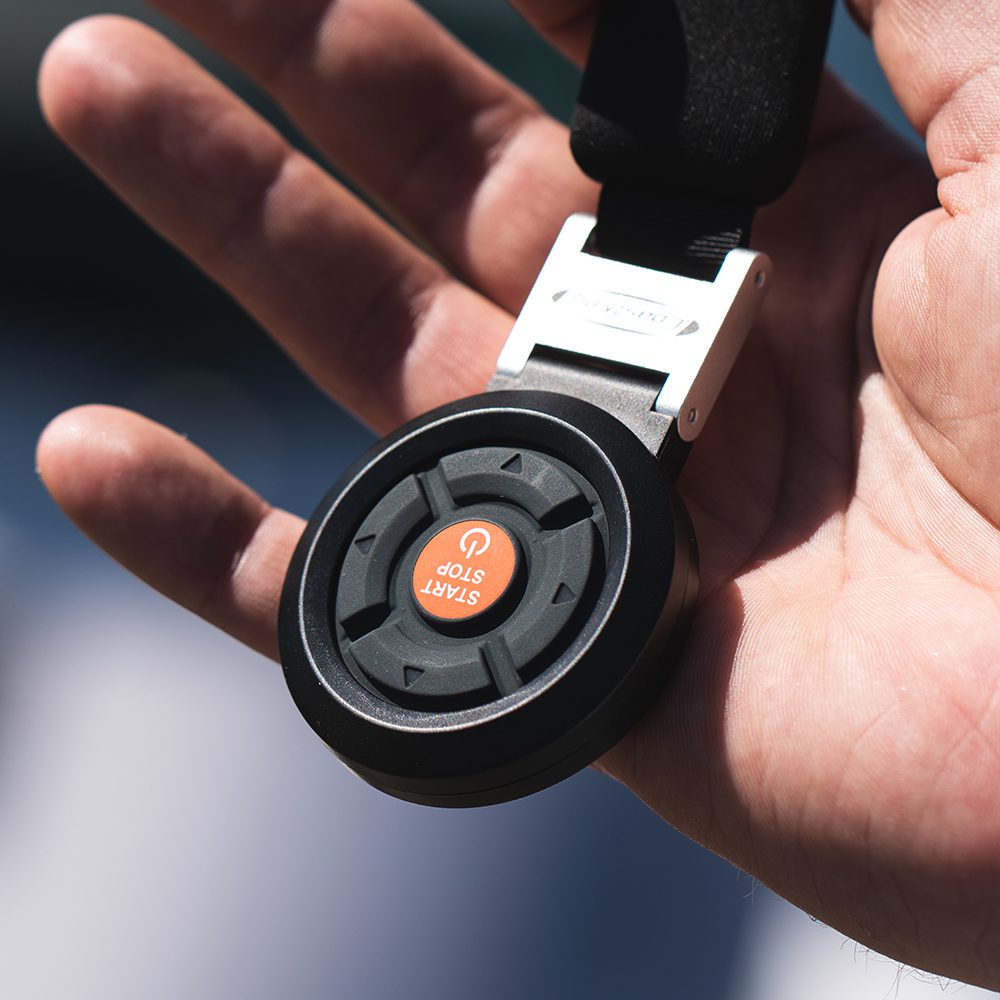
CoastKey 5-button FOB for systems from 2018-2020 If you have an older CoastKey Gen3 system, purchased and installed between 2018 and 2020, you most likely have a Start Panel and a FOB similar to the current system, but with some differences in design. They are also programmed with older software. When buying a new FOB it must therefore have its software downgraded in order to work with your existing Start Panel.
Produktinformasjon
CoastKey 5-button FOB for systems from 2018-2020
If you have an older CoastKey Gen3 system, purchased and installed between 2018 and 2020+, you most likely have a Start Panel and a FOB similar to the current system, but with some differences in design. They are also programmed with older software. When buying a new FOB it must therefore have its software downgraded in order to work with your existing Start Panel. We will of course take care of this for you.
You can also check the software version (SW) if you are on board the boat. Enter the PIN code to unlock the panel, then hold the ON/OFF button for approximately 5 seconds. If the light turns blue, you have the new software. If not, it is the older version.
If you are still unsure, we recommend that you get in touch before ordering online.
CoastKey 5-button FOB is used for remote starting of the engine(s). When the FOB is used to turn on the ignition there is no need to enter a PIN code. The FOB also works as a wireless kill switch (ECOS). The 5-BUTTON FOB can in addition be used for remote trim/tilt and starting of the engine(s).
It is possible to pair several FOBs to one Start Panel (max 10 and only one can be used at a time).
START/STOP WITH FOB
1. Check that the main battery switches are turned “ON”.
2. Press the “START/STOP” button on the FOB once to turn on the ignition. (The Start Panel LED lights up ORANGE)
3. Press and hold the “START/STOP” button on the FOB for min. 2 seconds to start the engine(s). (The Start Panel LED lights up GREEN)
4. Press and hold the “START/STOP” button on the FOB for min. 2 seconds to stop the engine(s) and turn off the ignition.
REMOTE TRIM/TILT WITH FOB
1. Check that the main battery switches are turned “ON”.
2. Press and hold the “ARROW DOWN” button on the FOB to tilt the engine down.
3. Press and hold the “ARROW UP” button on the FOB to tilt the engine up.
NB! The FOB has a “key lock” that requires you to press “ARROW UP” or “ARROW DOWN” for 3 seconds to release the function. The key lock is reactivated 15 seconds after the last button press.
“KEYLESS-GO” (PRESS FOR “KEYLESS”)
One advantage of this is that the Start Panel can be unlocked without using a PIN code.
1. The main battery switches must be turned “ON”.
2. Press one of the buttons on the FOB to activate “Keyless-GO” for the next 15 minutes.
3. Board the boat during this period and the Start Panel unlocks automatically.
(If it takes more than 15 minutes to get to the boat, simply press a button on the FOB again to reactivate “Keyless-GO”.)
4. When the Start Panel is unlocked you do not have to enter the PIN code, and you can press “ON/OFF” to turn on the ignition and then “START” to start the engine(s).
5. When you turn off the ignition again, the Start Panel will now be unlocked for 2 hours as long as the FOB is within range.
6. If you leave with the FOB when the ignition is off, the Start Panel will be locked. “Keyless-GO” is activated for another 15 minutes and the Start Panel unlocks if you return to the boat within this time.
We recommend that the battery in the FOB is replaced every season (preferably when launching in spring). If the battery has not been replaced, the FOB will signal low battery before it runs completely flat. When the battery is low, the LED in the FOB will flash RED every 3 seconds.
We also recommend that you always carry a spare battery of the CR2032 type in the boat.